Search
DKAN offers a faceted search similar to CKAN. This functionality is provided by the Search API and Search API DB modules. DKAN can easily be updated to use Apache Solr to power the search using the Search API Solr module.
Search API
The Search API module provides a framework for easily creating searches on any entity known to Drupal, using any kind of search engine. It incorporates facet support and the ability to use the Views module for displaying search results.
Apache Solr
Search API Solr Search provides a Solr backend for the Search API module, and delivers enterprise class, high performance search functionality. Apache Solr runs as a separate service from the web server and requires extra resources to integrate into your website. This can increase the price for hosting. Recommended for high traffic sites.
Requirements:
For further details see the Search API Solr’s handbook documentation.
DB vs Solr Search
- Solr:
- PRO: Increased performance and scalability for complex queries.
- PRO: Reduce database size.
- CONS: Requires external service.
- CONS: Increases hosting cost.
- DB:
- PRO: All information is in the same database.
- PRO: Easy to set up.
- CONS: Poor performance for sites with high traffic.
- CONS: Increased database size if you have a lot data to index.
Switching to Solr
To switch from the native database to Solr simply:
- Create or purchase a Solr instance
- Install search_api_solr
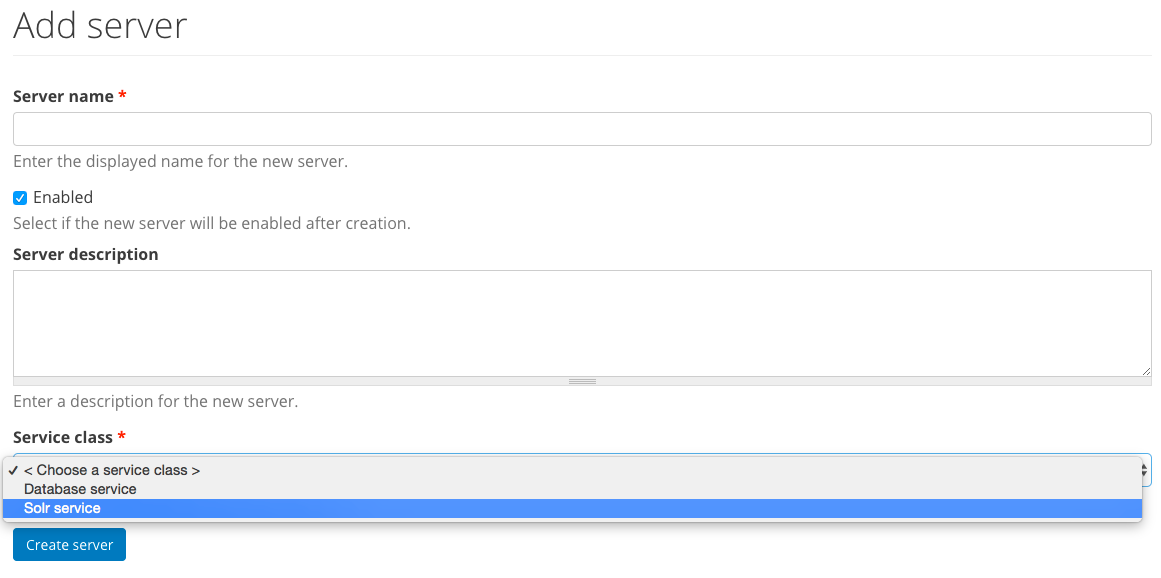
- Go to Configuration -> “Search API” then “Add server”
- Enter a server name and under “Service class” select “Solr service”
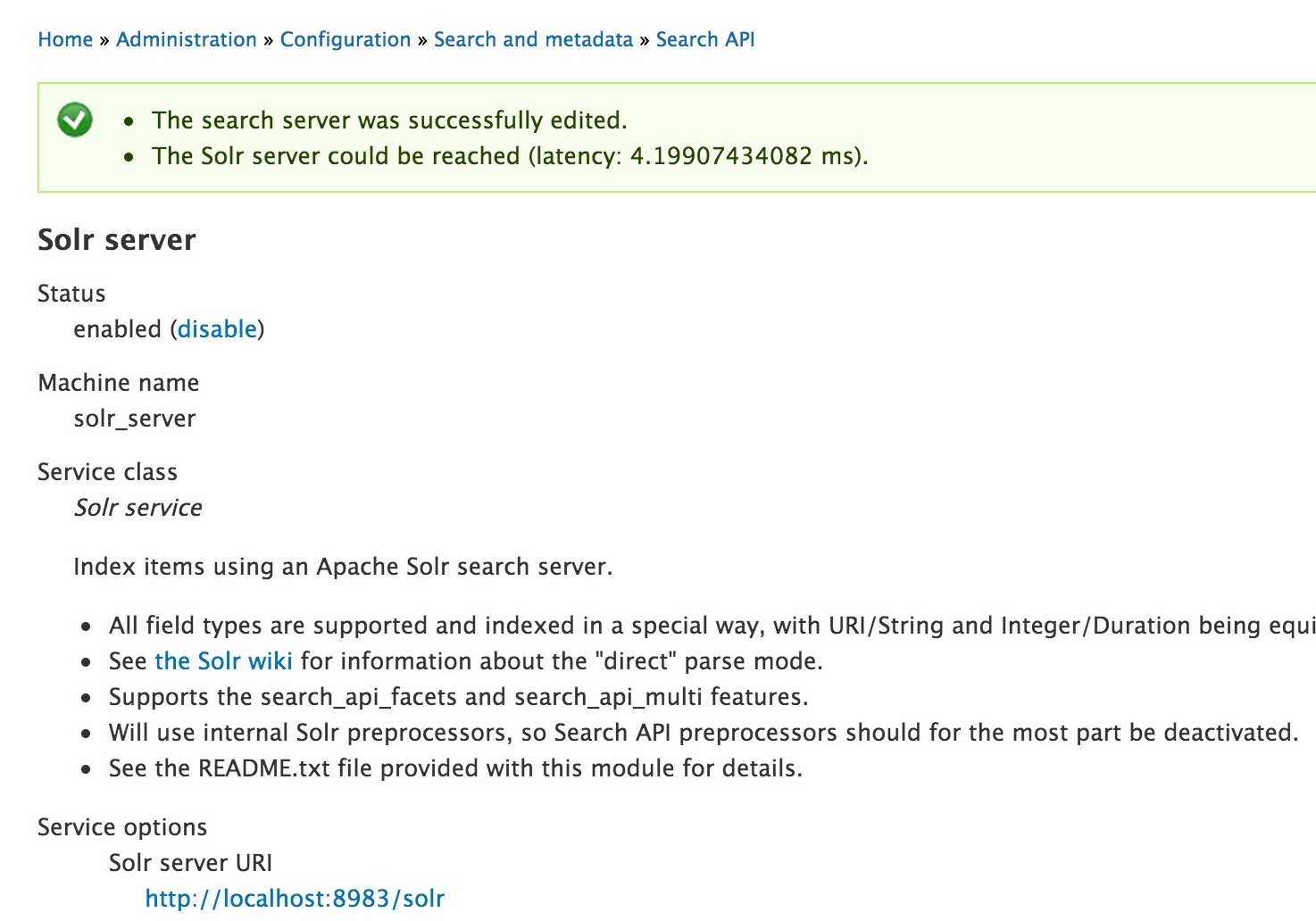
- After clicking “Create server” you should see a success message
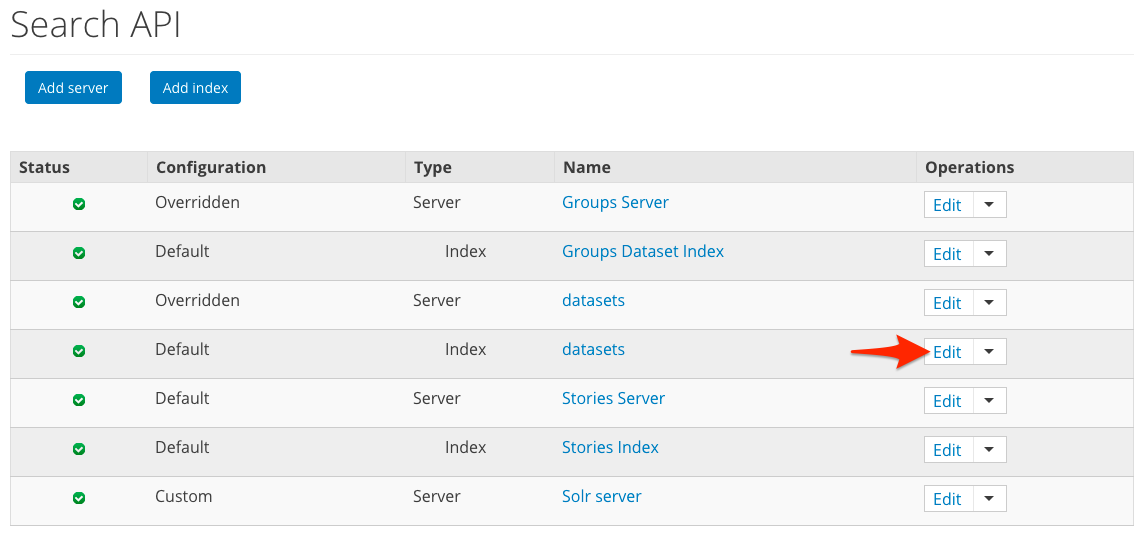
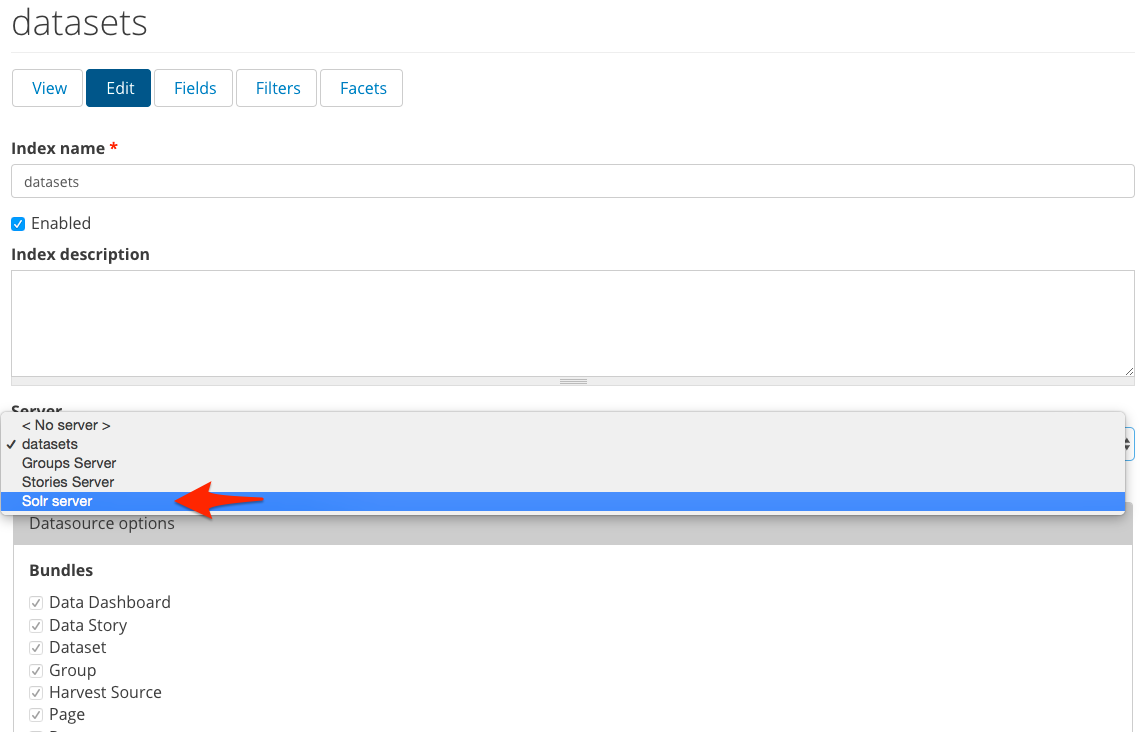
- Update the Dataset index to use the Solr server.
- Go to
admin/config/search/search_api - Select Edit on the datasets index
- Select the solr server you just added
- Click Save Settings
- Go to
- Re-index your site
admin/config/search/search_api/index/datasets.
Extending the Search Functionality
If you have the ability to add custom or contrib modules to your DKAN codebase, you can extend the search functionality in several ways. These modules may be added to DKAN core in the future but for now are not officially supported.
“Did You Mean?” Spellchecking
To add spellcheck, simply install the Search API Spellcheck
Searching within Resource files
PDFs, CSVs and other files attached to Resources can be searched by using the Tika library. This functionality is made possible with the Search API Attachments module
Tip
See the Search API Handbook for more recipes and information.