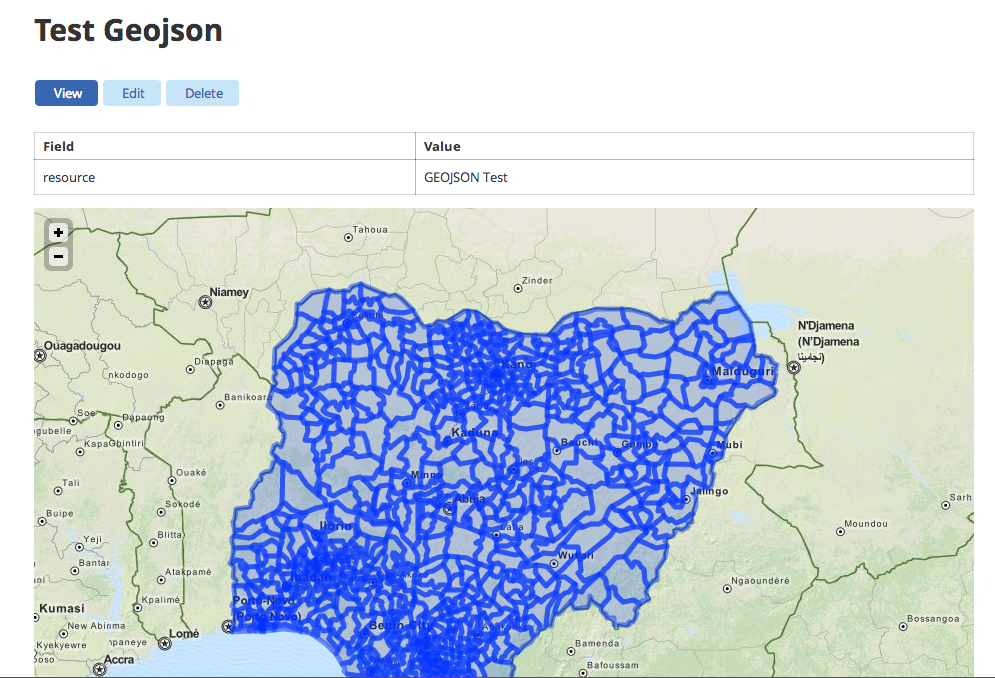
GeoJSON
Warning
Under Development. Do not use on production.
Enable the geojson bundle:
$ drush -y visualization_entity_geojson_bundle
$ drush cc all
Create Visualization
- Look for Content -> Add Content -> Resource in the admin menu and click on it.
- Upload a geojson data file for the resource
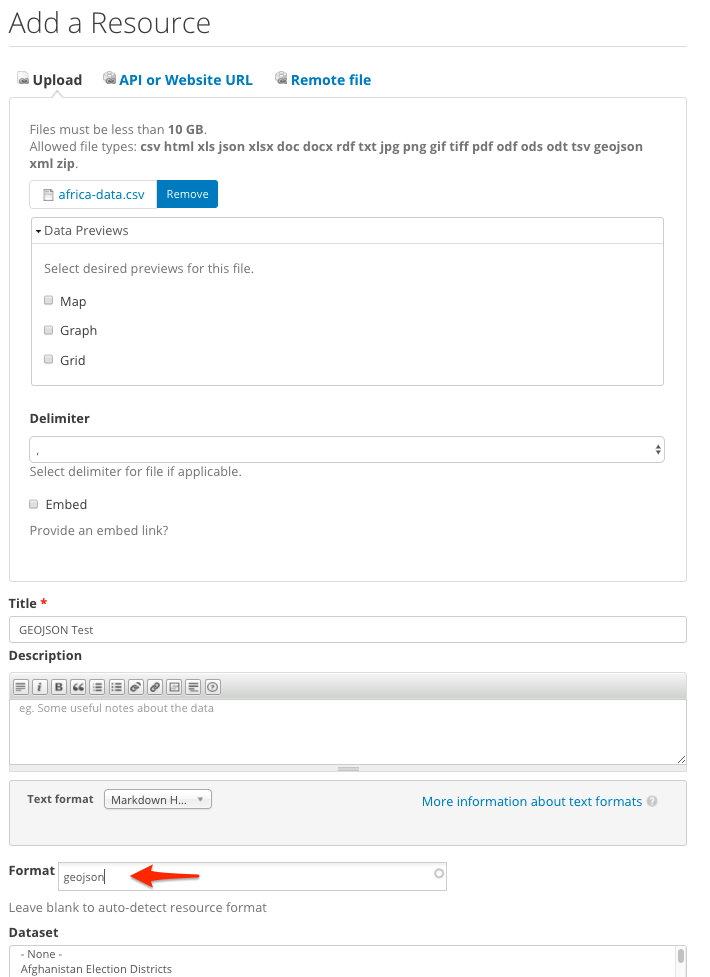
- Fill the required fields, enter ‘geojson’ in the format field, and save the resource
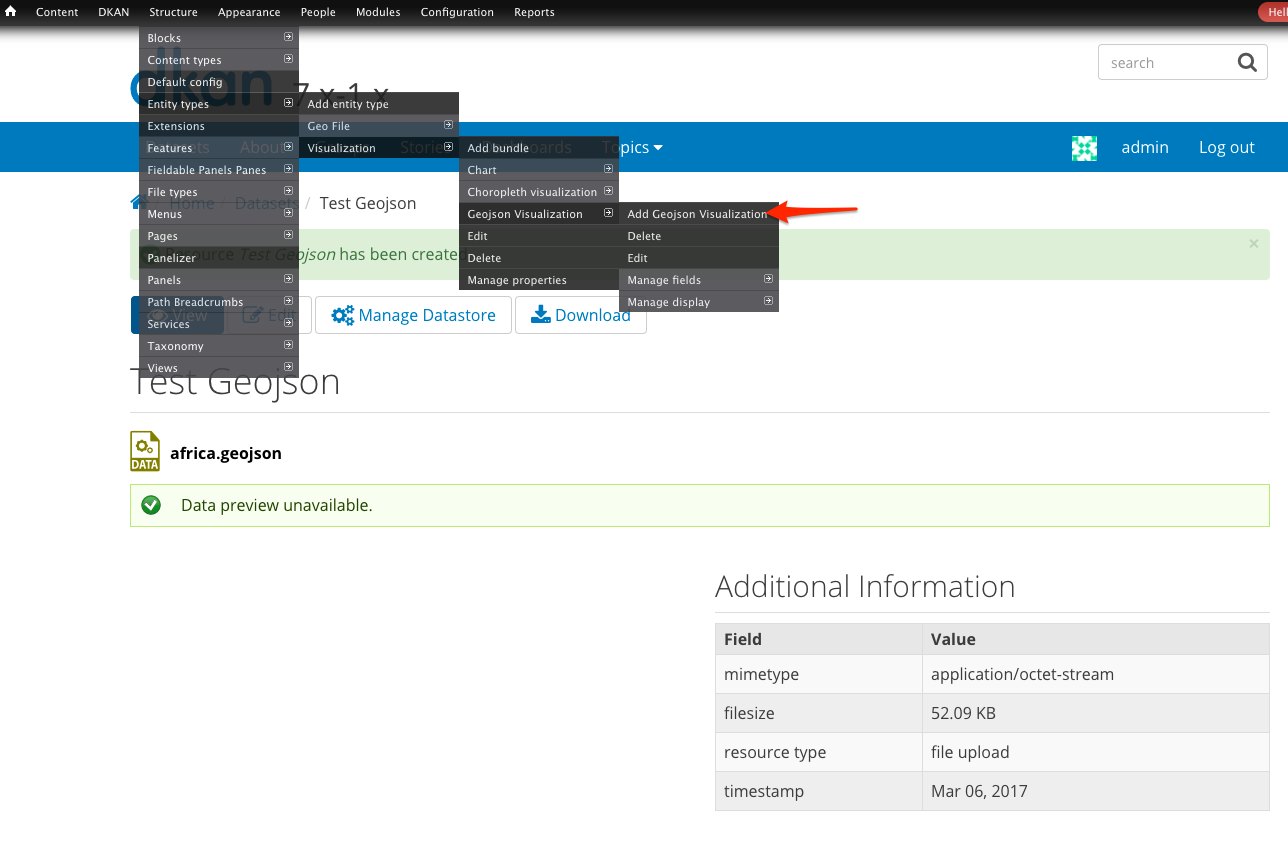
- Look for Structure -> Entity Types -> Visualization -> Geojson Visualization -> Add Geojson Visualization in the admin menu and click on it.
- Set a title
- Select the resource containing the geojson data file you uploaded
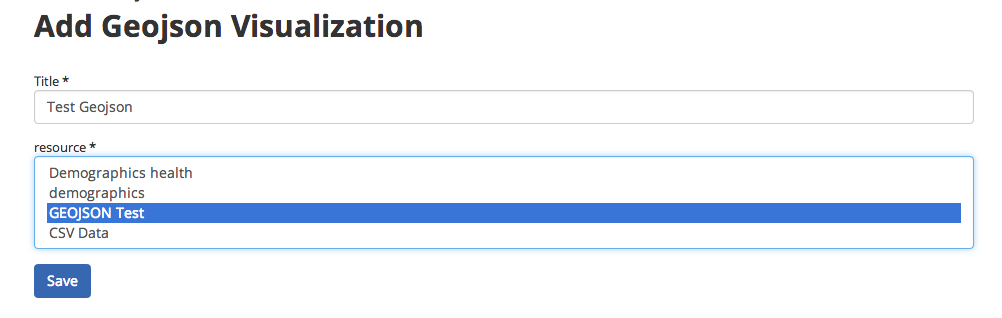
- Click Save & Enjoy!